Starting today, you can write your own meta description for every job — a small but meaningful lever for SEO and the snippet candidates see in search results and link previews.
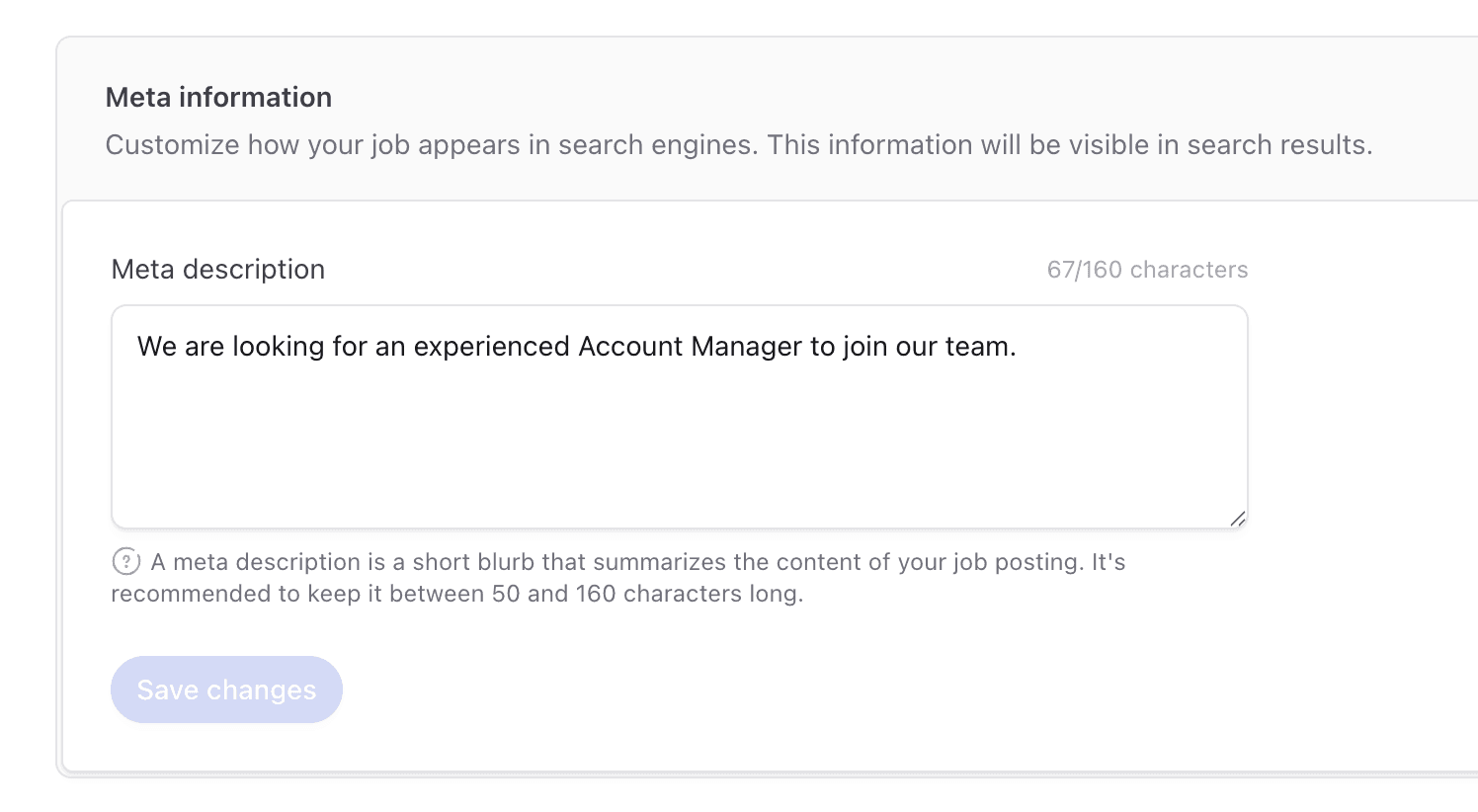
When a job shows up in Google or gets shared on LinkedIn, Twitter, or Slack, the blurb under the title comes from the meta description. Until now, Backrow generated that automatically from the first few lines of the job description. That worked, but auto-generated snippets rarely read like a pitch — and for SEO, a deliberate, keyword-aware description almost always outperforms a truncated paragraph.
Why meta description matters for SEO
Search engines use the meta description as the snippet below the title in results pages. A clear, relevant description improves click-through from search.
A tight, intent-driven description (
Senior React engineer role at a Series A fintech, remote-friendly, eligible for equity) reads very differently from a truncated paragraph of fluff.It's one of the few places on a job post where you can position the role in your own voice, outside the constraints of the application form or careers page layout.
How to change it
Open any job and go to Settings. You'll find a new Meta description field — write a crisp 1–2 sentence pitch and save. Changes publish instantly to the careers page and are picked up by search engines on the next crawl.
If you leave it blank, Backrow falls back to an auto-generated snippet from the job description, just like before.