We're excited to introduce application form styles. Pick how candidates see your form — a full page, a dialog, or a slide-over — to match the feel of your careers page.
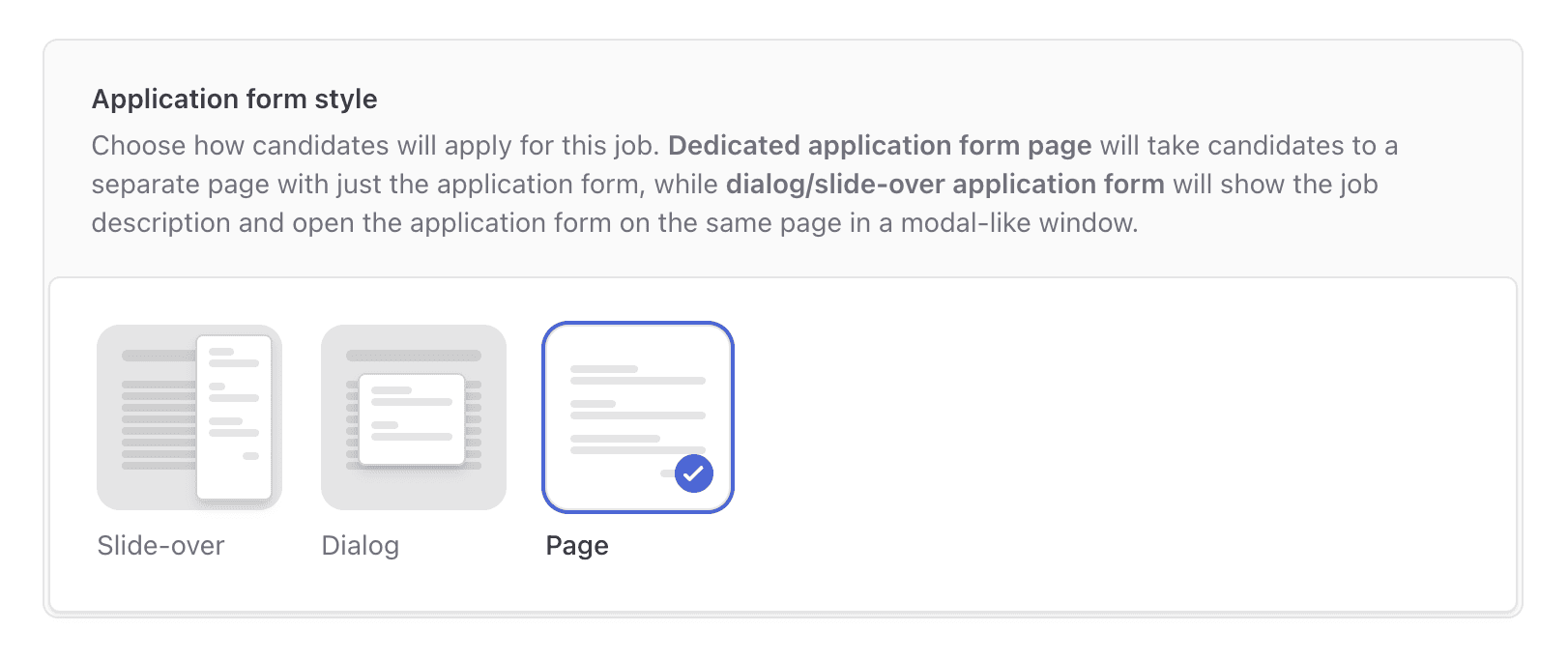
Different companies want different things from the application experience. Some want a focused, full-page flow that feels like its own step. Others want candidates to apply without ever leaving the job they're reading. You can now pick the style that fits.
Three styles to choose from
Page: The classic full-page application. Best when the form is long or when you want the application to feel like a deliberate, dedicated step.
Dialog: A centered modal that opens over the job page. Candidates apply without losing the context of the role they just read.
Slide-over: A side panel that slides in from the edge. Feels fast and modern, and keeps the job description visible alongside the form.
Each style is fully responsive and automatically adapts to mobile — dialogs and slide-overs expand to fill the screen on smaller devices so candidates never have to pinch-to-zoom.
How to change it
Open any job and go to Settings to pick the style. The change applies immediately to the public careers page. You can switch back and forth without losing any form content.
Consistency across your careers page
The style you choose applies to every job on your careers page by default, so candidates get a consistent experience across roles. You can override it per job if a specific role needs something different — a long executive application might warrant a full page even when everything else uses a slide-over.